30W Magnetic 3-in-1 Charger for iPhone, Watch, AirPods
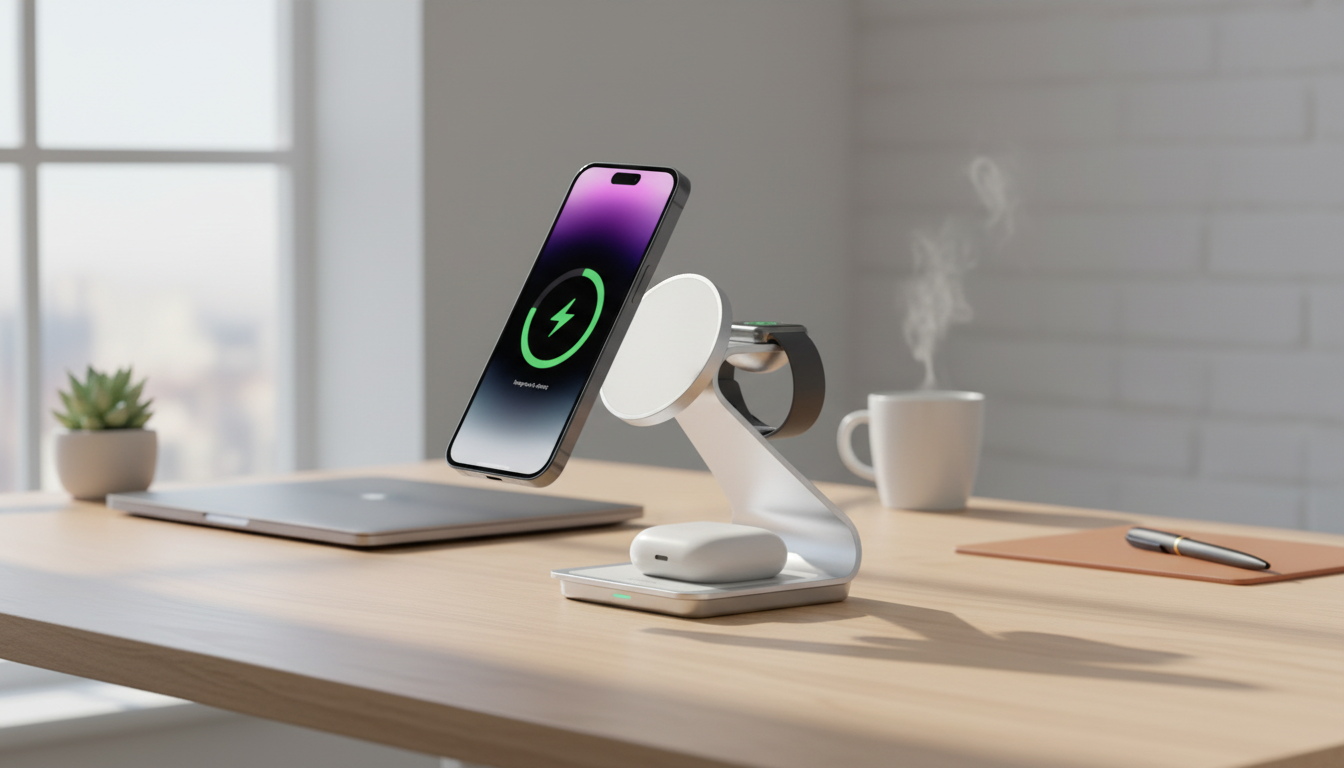
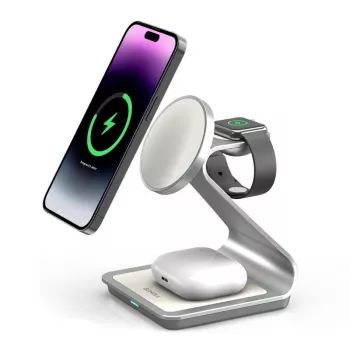
Magnetic 3-in-1 Wireless Charger Station 30W for iPhone, Apple Watch, and AirPods
A single charging spot can simplify a nightstand or desk setup—especially when iPhone, Apple Watch, and AirPods all need power at the same time. A magnetic 3-in-1 station keeps devices aligned, reduces cable clutter, and makes it easier to drop items on and charge without hunting for connectors. The result is a cleaner surface, fewer “where’s my cable?” moments, and a routine that’s easier to stick to day after day.
What a 3-in-1 magnetic charging station does
A 3-in-1 magnetic charging station is designed to power three everyday devices in one organized place: a phone, a watch, and wireless earbuds. Instead of spreading chargers across outlets and surfaces, you consolidate everything into a single footprint and a single power source.
- Charges three everyday devices in one place: phone, watch, and earbuds case.
- Magnetic alignment helps the phone sit in the right position for stable wireless charging.
- Consolidates power into one outlet and one compact footprint for a cleaner surface.
- Works well as a “drop-and-go” station for evenings, workdays, and travel packing routines.
For iPhone, the magnetic hold is the practical difference maker: it reduces misalignment that can cause intermittent charging on standard pads. For Apple Watch and AirPods (with a wireless-charging case), the dedicated spots help keep each device “assigned” to a consistent location—simple, repeatable, and tidy.
Daily-use benefits on a desk or nightstand
Most people feel the biggest improvement not in specs, but in the daily rhythm. A single charging zone helps devices return to the same place every time, which is especially useful for small accessories like earbuds cases.
- Less cable clutter: replaces multiple separate chargers and reduces tangles.
- Fewer missed charges: consistent placement helps avoid waking up to a low battery.
- Quick visibility: devices remain easy to see and grab without unplugging cords.
- One charging zone: helps keep small items (like an earbuds case) from getting misplaced.
On a nightstand, it also reduces the common “cable sprawl” that crowds lamps, books, and alarm clocks. On a desk, it keeps gear in view during the workday so a watch or earbuds are easier to grab between meetings without disconnecting anything.
Charging performance and power expectations
A 30W-class 3-in-1 station is built to handle a multi-device setup more confidently than basic low-power pads. That said, real-world speed is influenced by the device model, heat management, and the wall adapter used. Wireless charging can also taper as a battery approaches full—normal behavior intended to protect battery health.
- A higher-watt station can support faster top-ups than basic low-power pads, but real-world speed depends on the device model, heat management, and power adapter used.
- Wireless charging may slow down as the battery approaches full, which is normal behavior for battery protection.
- Best results come from pairing the station with a quality wall adapter that can supply sufficient power for multiple devices at once.
- If a thick case or metal accessories interfere with alignment, removing them can improve consistency.
If you want a quick refresher on how iPhone wireless charging behaves (including charging indications and setup tips), Apple’s guidance is a helpful reference: Apple Support: How to wirelessly charge your iPhone. For AirPods-style cases, compatibility commonly hinges on whether the case supports the Qi standard: Wireless Power Consortium (Qi) standard overview.
Compatibility and setup checklist
Before settling into a new charging routine, it helps to do a quick compatibility check and a simple first-time setup. Most issues come down to alignment, case thickness, or how the watch/earbuds case is seated on the charging zone.
Compatibility and quick checks
| Device | What to verify | Common fix if it won’t charge |
|---|---|---|
| iPhone | MagSafe-style alignment and wireless charging support | Re-center the phone; try a thinner MagSafe-compatible case |
| Apple Watch | Correct watch orientation on the watch charger | Rotate/seat the watch flat; remove bulky bumper cases |
| AirPods case | Case supports wireless charging (Qi) | Reposition the case; remove thick silicone covers |
For Apple Watch charging behaviors and what to look for on-screen while it’s charging, Apple’s guide can clarify what’s normal: Apple Support: Charge Apple Watch.
Safety, heat, and battery care
Where this station fits best
Product options in stock
- Magnetic 3-in-1 Wireless Charger Station 30W for iPhone, Apple Watch, AirPods (in stock) — designed to keep a daily Apple device set charging in one organized spot.
- Car Safety Inspections eBook: Ultimate Guide for DIY Checklists, Tools, and Tips (in stock) — a practical reference for checklists and routines if you like staying organized beyond your desk setup.
- 8pcs Professional Makeup Brush Set (in stock) — a compact everyday set that’s easy to keep sorted on a vanity or in a travel bag.
FAQ
Will it charge through an iPhone case?
It works best with MagSafe-compatible cases. Thick cases or cases with metal plates can block alignment and reduce charging reliability, so switching to a thinner MagSafe-style case often helps.
Do all AirPods cases work on the earbuds charging pad?
Only AirPods cases that support wireless (Qi) charging will charge on a pad. If your case requires a Lightning/USB-C cable and doesn’t support Qi, it won’t charge wirelessly.
Why does wireless charging sometimes feel slower than expected?
Speed varies by device model, the power adapter’s capacity, heat, and battery level. Wireless charging typically slows near full and may reduce speed if temperatures rise during charging.










Leave a comment