Buy a Car Smarter with AI Chatbots: A Low-Stress Plan

How AI Chatbots Can Help You Buy a Car with Less Stress (and Fewer Tabs)
AI chatbots can remove a lot of friction from buying a car by turning scattered research into clear, personalized answers. Instead of juggling tabs for trims, pricing, reliability, and financing, a chatbot can help narrow options, generate comparison checklists, translate confusing dealer language, and prepare negotiation scripts. The best results come from using AI at the right moments—and then validating the details with reliable sources—so it acts like a practical co-pilot rather than a guessing machine.
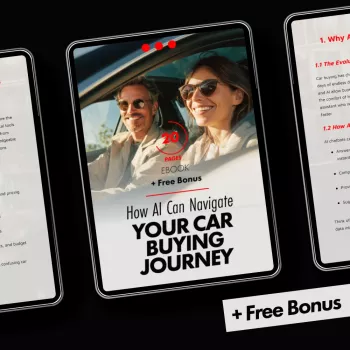
If you want a step-by-step playbook you can reference while shopping, How AI Can Navigate Your Car Buying Journey: Your Ultimate Guide to Using AI Chatbots for Car Buying Questions and Advice is an easy way to keep your research organized and consistent across dealers and listings.
What AI chatbots do well during car shopping
- Summarize large amounts of vehicle info quickly (generations, trims, common features, typical ownership costs).
- Turn preferences into shortlists (budget, body style, commute, winter driving, cargo needs, parking constraints).
- Create structured questions for dealers and private sellers (title status, service records, warranty, recalls, accident history).
- Explain unfamiliar terms in plain language (APR, money factor, residual value, add-ons, destination fees, doc fees).
- Draft negotiation and email templates that keep communication consistent and professional.
One caveat: when a chatbot gives specific numbers (fees, incentives, residual values, “invoice” pricing), treat those as leads to verify, not final answers.
Stage 1: Set boundaries—budget, total cost, and must-haves
Early clarity saves hours later. Start by pinning down what you can spend in two ways: a monthly payment range and a realistic out-the-door (OTD) ceiling. A chatbot can quickly run scenarios—down payment vs. term length vs. APR—so you can see how “just $25 more per month” often turns into thousands over the loan.
Next, widen your view beyond the purchase price. Ask for a total cost snapshot that includes insurance, fuel/charging, routine maintenance, and your state’s taxes/registration. For fuel estimates, cross-check with the U.S. Department of Energy’s official ratings at fueleconomy.gov.
Example prompts that produce useful numbers and constraints
| Goal | Prompt to use | What to verify |
|---|---|---|
| Payment planning | Estimate monthly payment for a $28,000 used car with $3,000 down, 60 months, 7.5% APR; show total interest and an out-the-door price placeholder. | Current local APR ranges; taxes/fees for the state; actual out-the-door quote. |
| Operating costs | Compare annual fuel cost for 28 mpg vs 38 mpg at 12,000 miles/year and $3.80/gal; show 3-year difference. | Local fuel price; real-world mpg for the exact trim/engine. |
| Must-haves | Turn these needs into minimum specs and a quick screening checklist: two kids + stroller, parallel parking, snow, 45-mile commute. | Measured cargo volume and rear-seat fit; tire options; safety ratings. |
Stage 2: Build a shortlist with model and trim comparisons
Once you have boundaries, use AI to convert “I want something reliable and not too big” into a shortlist you can actually shop. A strong approach is: ask for 5–8 candidates that fit your constraints, then request 3 alternatives for each. That second step often surfaces better-value competitors or trims you didn’t consider.
- Compare trims with a “feature delta” list (what changes between base/mid/top, and which upgrades are overpriced for your needs).
- Ask for known pain points by model year (infotainment failures, transmission behavior, hybrid battery trends).
- Paste a listing and request a clean spec sheet (engine, drivetrain, safety packages, options, remaining warranty).
For safety and recalls, confirm details using official sources like NHTSA Recalls and Safety Ratings rather than relying on a single summary.
Stage 3: Price reality check—out-the-door, add-ons, and fees
Most expensive surprises happen in the “fees and add-ons” zone. Ask AI to generate an OTD worksheet that includes sales tax, title, registration, doc fee, and any dealer-installed products. Then use that worksheet to force clarity: you’re comparing line items, not vibes.
For consumer protections and baseline guidance on the buying process, the FTC’s resource is a helpful reference: FTC: Buying and Owning a Car.
Stage 4: Financing and leasing—questions that prevent expensive surprises
Stage 5: Used-car evaluation—inspection planning and verification
If you want a printable approach to checks and documentation, Car Safety Inspections eBook: Ultimate Guide for DIY Checklists, Tools, and Tips is a handy companion for organizing what to verify before money changes hands.
Stage 6: Negotiation and closing—stay consistent and calm
Privacy, accuracy, and safe use of AI tools
Recommended resources for a smoother journey
- How AI Can Navigate Your Car Buying Journey: Your Ultimate Guide to Using AI Chatbots for Car Buying Questions and Advice
- Car Safety Inspections eBook: Ultimate Guide for DIY Checklists, Tools, and Tips
FAQ
What questions should be asked to an AI chatbot before buying a car?
Ask for help setting a budget and out-the-door target, translating must-haves into a screening checklist, comparing trims, spotting model-year issues, and generating an itemized-fee negotiation script. Then verify any numbers (rates, fees, recalls) with current quotes and official sources.
Can an AI chatbot estimate a fair price for a car?
It can structure comparisons and summarize local listing patterns, but it can’t guarantee a “fair price” without real-time market data. Confirm with current listings, multiple dealer quotes, and your state’s taxes and fees to reach a true out-the-door number.
Is it safe to share VINs or personal info with AI chatbots?
A VIN is usually fine for general research, but avoid combining it with identifying or financial information. Keep sensitive documents and numbers out of chat tools unless you’re confident in the platform’s privacy practices and you truly need to share them.











Leave a comment